

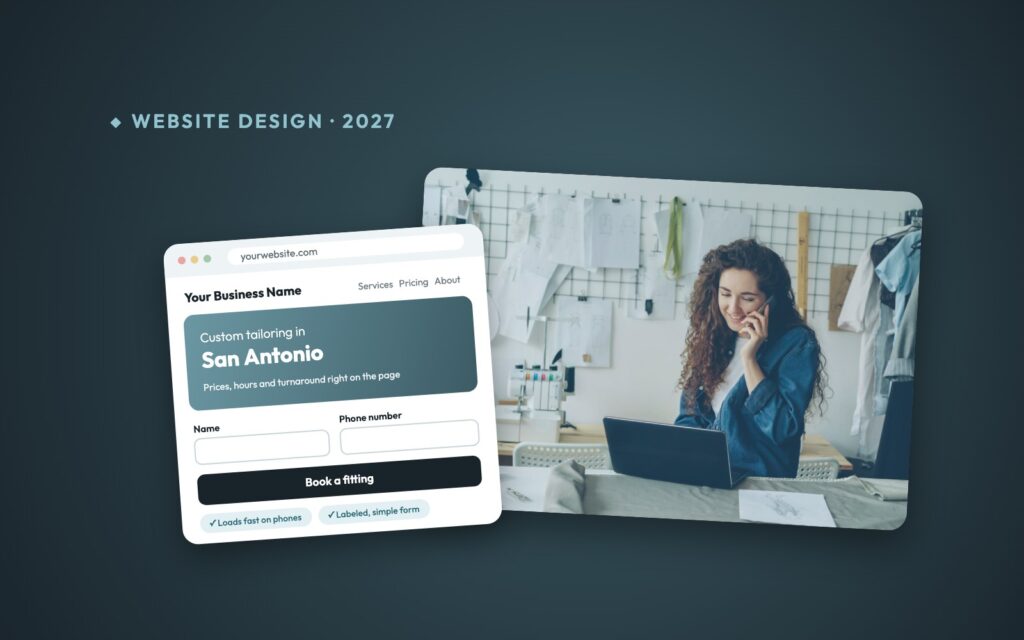
Website design is getting a new kind of visitor in 2027. Some of the people landing on your site will have already asked Google a dozen follow-up questions before they click. A few won’t be people at all, but a browser assistant filling out your quote form for them.
That sounds like science fiction until you read what Google actually shipped this year. So that’s where we’ll start.
This is the fifth post in our 2027 series, after Google Ads, video marketing, SEO and Facebook ads. Same rules as before. We only cover changes that Google or the standards bodies announced themselves. The rest is what we’d do with our own website next year, written as advice, not predictions.
What changed for website design in 2026
Three announcements matter most for website design on a small business site, whether it belongs to a contractor, a law office or a shop in San Antonio.
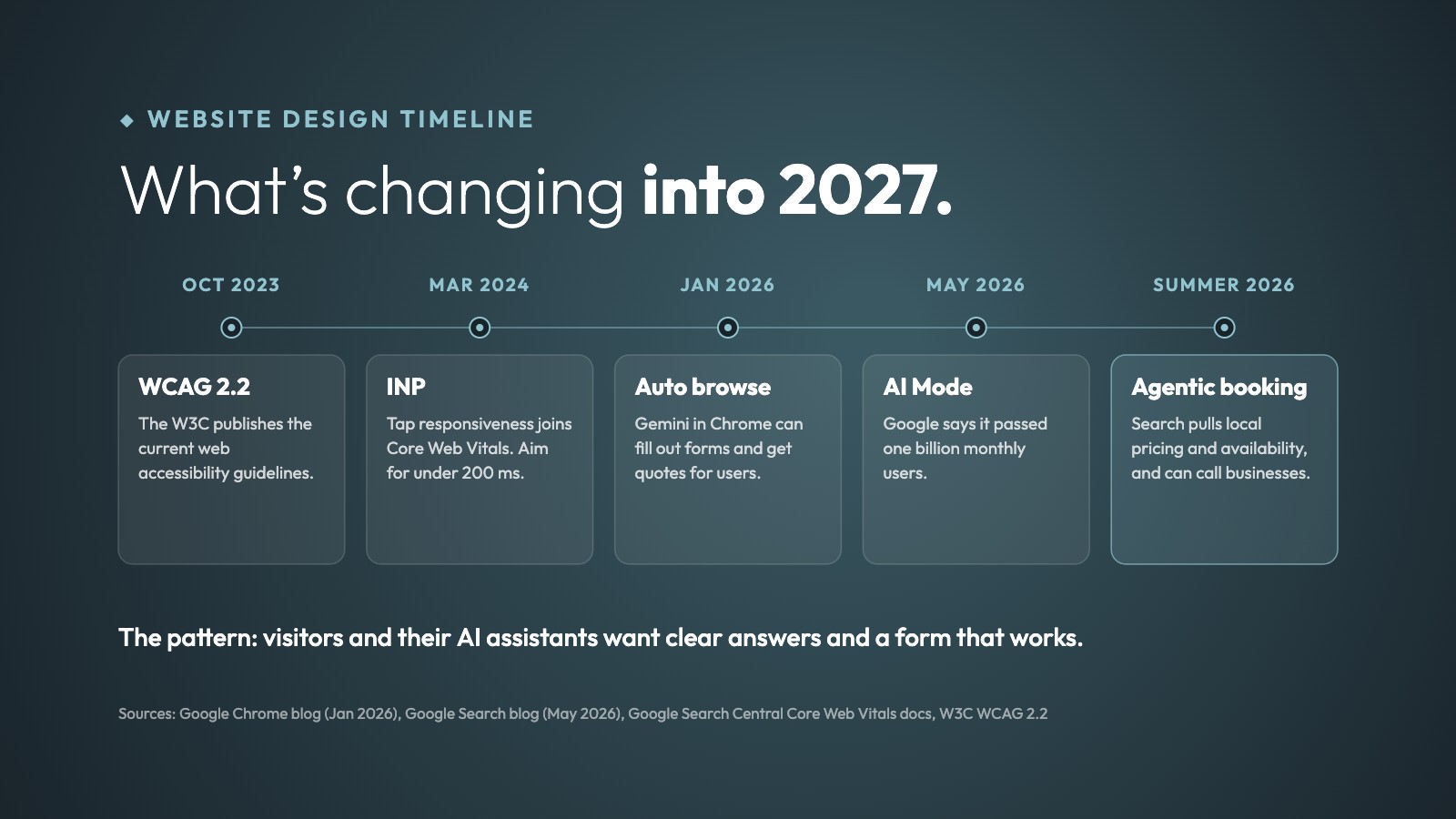
In January, Google added auto browse to Gemini in Chrome for AI Pro and Ultra subscribers in the U.S. It handles multi-step tasks for the user. Google’s own examples include filling out online forms, scheduling appointments and getting quotes from plumbers and electricians. It’s built to stop and ask the person before sensitive steps like a purchase.
In May, at I/O, Google said AI Mode had passed one billion monthly users. It also announced agentic booking in Search for local experiences and services, pulling together pricing and availability with links to book with the provider. For categories like home repair, beauty and pet care, people can ask Google to call businesses for them. Google said those features would roll out to everyone in the U.S. this summer.
And the older rules still apply. Google’s Core Web Vitals measure how fast a page loads, how quickly it responds to taps and how much it jumps around. Interaction to Next Paint (INP) replaced the old responsiveness metric back in March 2024, and plenty of small business sites still haven’t caught up.
7 website design moves we’d make for 2027
1. Write pages for people who already did their homework
When someone has spent ten minutes in AI Mode comparing options, they don’t need your homepage to tell them you’re “committed to quality.” They need the specific answer that pushes them over the line.
Picture a homeowner in Stone Oak who’s already learned the difference between a roof repair and a full replacement. They land on your roofing page. What do they want? Whether you do insurance claims, how soon you can come out, what areas you cover, and what the next step looks like.
So give each service its own page, and put the real details on it. That’s the simplest website design upgrade there is. Vague pages were always weak. Next to a detailed AI answer, they look worse.
2. Make your forms easy for an AI assistant to fill out
Honestly, most local businesses don’t need to rebuild their website design for AI agents yet. But a few cheap habits make your site easier for both people and software to use.
- Use plain form fields with visible labels (“Phone number,” not a mystery box with a grey hint that disappears).
- Ask only for what you need to call someone back.
- Use real buttons and links, not images or fancy sliders that only work with a mouse.
- Show a clear confirmation message after the form goes through.
If a dental office near the Medical Center has a booking form that breaks halfway, a patient gives up. An assistant probably will too, then moves on to the next office in the results.
3. Publish the details Google is now looking for
Google’s agentic booking pulls in pricing and availability. Its calling feature exists because those answers often aren’t online. That’s a hint.
If you can share price ranges, starting prices or “most jobs fall between” numbers, put them on the site. Same with your hours, service area and how fast you usually respond. A pet groomer on the North Side who lists prices by dog size is easier to choose than one who says “call for pricing” and nothing else.
Keep those details identical on your website and your Business Profile, too. Mismatched hours are a small thing that costs real calls.
4. Treat speed as part of website design, not a tech chore
Google’s guidance is specific. It recommends the main content load within 2.5 seconds, the page respond to taps in under 200 milliseconds, and the layout stay put while it loads.
Most of the speed problems we see come from website design choices, not hosting. Giant video headers. Five tracking scripts nobody remembers adding. Pop-ups that fire before the page finishes loading. A menu that takes two taps to open on a phone.
Check the Core Web Vitals report in Search Console, then test the site yourself on an older phone over cell data. That’s how a lot of San Antonio customers will see it, standing in a parking lot or waiting at a light.
5. Build accessibility in from the start
The current version of the web accessibility guidelines is WCAG 2.2, published by the W3C. It covers things like readable color contrast, buttons big enough to tap, and forms that work with a keyboard and a screen reader.
We’d make it part of every website design project for your customers’ sake first. It’s also our view that pages with clean headings, labeled fields and real buttons are simply easier for any software to read, AI assistants included. Doing it during the build costs far less than patching it later.
6. Swap stock smiles for your real team
When AI can summarize ten competitors in a paragraph, the thing it can’t fake is you. Real photos of your crew, your shop and your trucks. A short video of the owner explaining how a first visit works.
A family restaurant on the North Side doesn’t need a model holding a fork. It needs the actual dining room and the people who run it. Our video marketing strategies for 2027 post goes deeper on getting more out of one shoot.
7. Measure calls and forms, not pageviews
Good website design is judged by what visitors do. Track calls from the site, form submissions and bookings, and look at which pages they came from.
Once that’s in place, the redesign decisions get a lot less emotional. You stop arguing about colors and start fixing the page where people drop off. If your site already gets visitors but not calls, our post on what to fix first walks through the usual suspects.
Where website design fits with your ads and video
Your website is where every other channel ends up. Google Ads, Facebook ads, retargeting, a video someone watched last week. All of them send people to a page, and that page decides whether they call.
That’s why we’d fix website design before raising an ad budget in 2027. More traffic to a slow, vague site just costs more.
At Gova Creative, we help San Antonio businesses build sites designed to turn visitors into calls. Our website design team builds fast, clear sites, our video production team films the real people behind the business, and our digital marketing team runs the Google Ads, Meta ads and retargeting that bring visitors back. If you’re planning a new site or a refresh for 2027, let’s talk it through.


Want help putting this to work?
One team for your website, videos, ads and brand, built as one plan. Let’s talk about your goals.
Book a Discovery Call 30 minutes · Real answers · No sales pitch